

0538-5089056
0538-5089056
Precision Refrigeration Calibration Baths PC Operation Method
Precision Calibration Bath System overview
The touch screen precision refrigeration calibration bath is a new product controlled by an intelligent touch screen operating system. The system can automatically start and stop temperature control, segmental temperature correction and linear rate temperature rise and fall. Users can directly operate through the touch screen on the calibration bath, which is more convenient and intelligent.
The main functions of the touch screen calibration slot are:
1. Automatic temperature control: The system automatically performs heating, stirring and cooling control according to the calibration operation status, without manual operation.
2. Multi-point calibration: The system supports segmental temperature correction, and automatically completes temperature control according to the correction value during temperature control, avoiding repeated correction when the temperature rises.
3. Linear temperature control: The system supports linear temperature rise and fall according to the specified rate to meet the temperature control requirements.
4. Multi-point setting: The system supports setting at different temperature points and automatically saves the setting parameters. When controlling the temperature, it automatically controls the temperature according to the setting parameters to ensure accurate temperature control at any point.
5. Overheating protection: The system supports overheating protection. When the temperature is overheated, it will automatically stop heating to protect the equipment.
6. Remote communication: The system supports remote communication control through serial port, WLAN, WIFI.
7. Mobile phone control: The system supports device control through the mobile phone App.
Precision Calibration Bath Interface display
After the system is started, it is in standby mode. Click the button  to start the system and start automatic temperature control.
The upper status bar displays the task animation according to the actual operation situation,  indicating that heating is in progress,
 ;indicating that stirring is in progress
 indicating that cooling 1 is on
  and that cooling 2 is on.
The precision calibration bath system is divided into two cooling modes. When the automatic cooling mode is enabled, the system automatically controls the logic of heating, stirring, and cooling. At this time, when the corresponding task is enabled, the task animation is displayed, and when the corresponding task is disabled, the task animation is hidden.

When the automatic cooling mode is deactivated, the system enters the manual cooling mode, and the corresponding tasks need to be controlled manually. When a task is disabled, a gray dormant task icon is displayed. When the task is started manually, the task animation is displayed.

When the set fluctuation statistics time is reached, the temperature fluctuation will be displayed in real time.
When the temperature is stable, the temperature stabilization time will be displayed in real time.
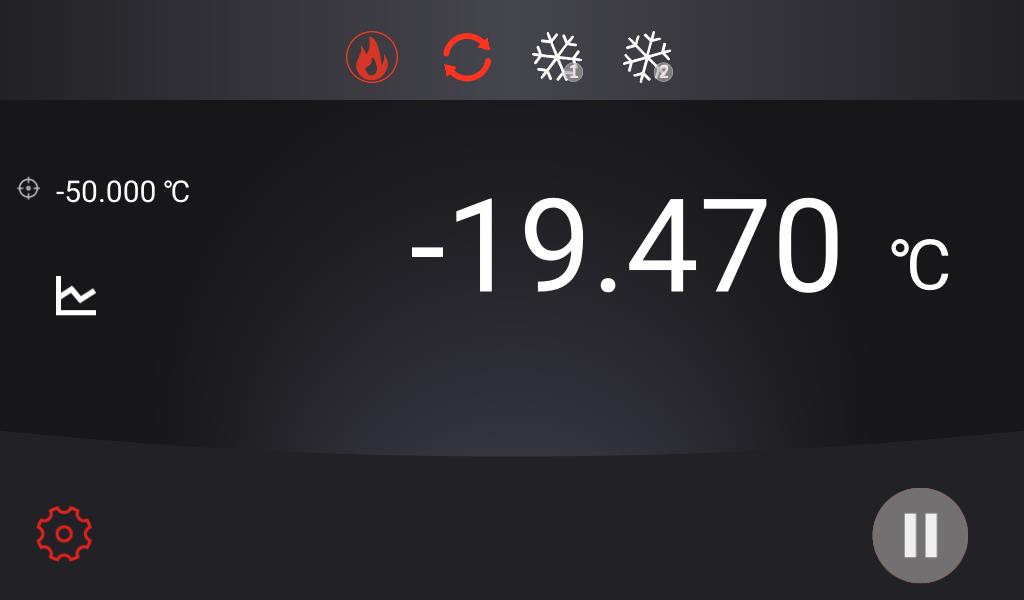
Click the set value temperature to open the temperature setting interface, enter the set value, and complete the modification of the set temperature.
Precision Calibration Bath Curve Display
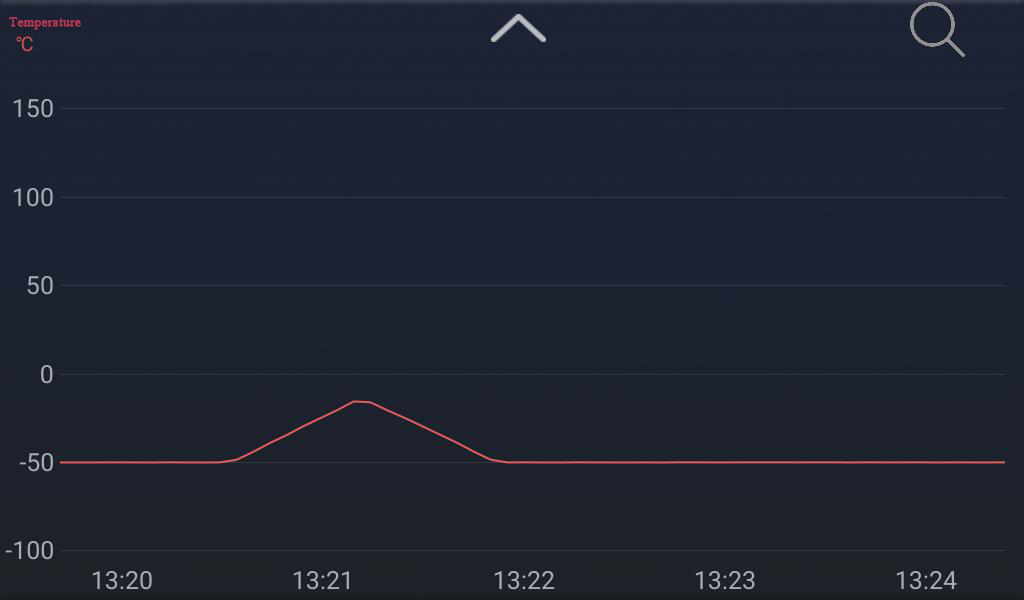
Click on the main interface to enter the curve display interface . The curve display interface will automatically update the view according to the collected data, and display the curves of all data in real time.
Zooming and panning operations can be performed when the curve is displayed. After the operation, it enters the manual control mode and is displayed in the upper right corner . At this time, the view is no longer automatically updated. Click. , the system exits the manual mode, the curve interface returns to the automatic control mode, and automatically updates the view according to the collected data.
Pan operation: Press and hold the curve with a single finger to drag up, down, left, and right, and the curve moves with the finger operation.
Zoom operation: hold down the screen with two fingers and move in opposite directions, the curve will zoom in with the gesture. Moving in the same direction, the curve shrinks with the gesture.
Click the button to exit the curve interface and return to the main interface.
Precision Calibration Bath Configuration Interface
Click on the main interface to pop up the function menu, click
 to enter the configuration interface.
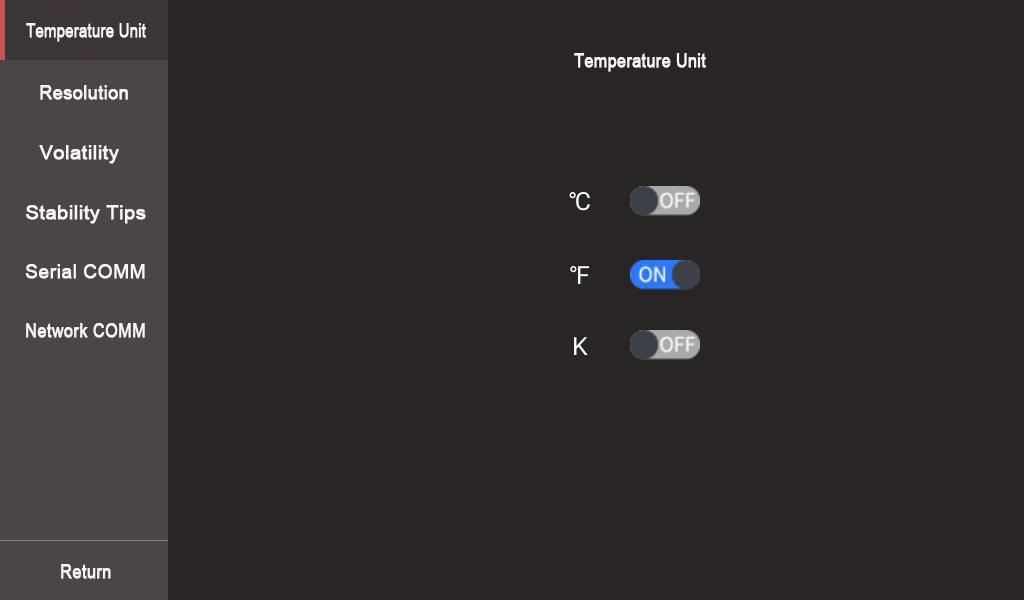
Temperature unit: After modifying the temperature unit, the main interface will display the temperature value according to the newly set unit.
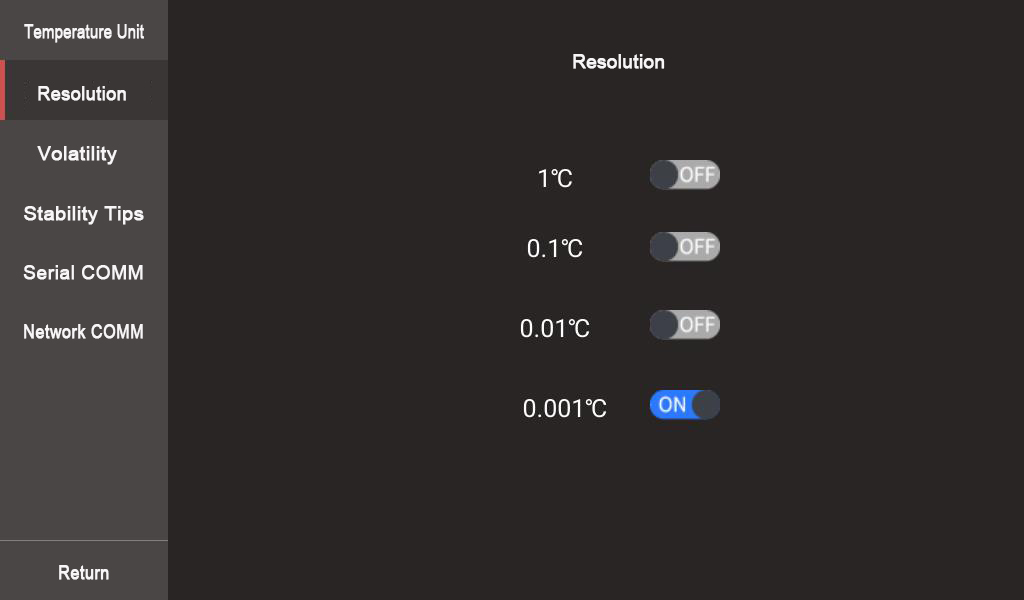
Resolution: After modifying the resolution, the main interface will display the temperature according to the newly set resolution.
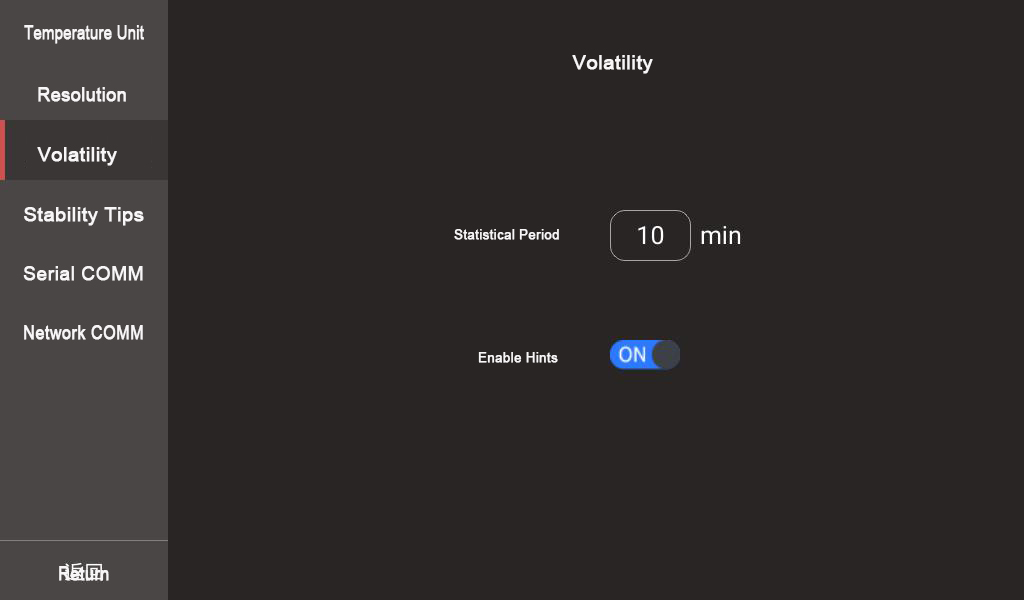
Volatility: The volatility setting is used to determine the statistical cycle of the volatility and whether the volatility is displayed on the main interface.
Statistical period: After modifying the statistical period, the calibration bath system calculates the difference between the highest temperature and the lowest temperature in the statistical period according to the new statistical period as the fluctuation degree.
Enable prompt: When enabled, after the system running time exceeds the statistical cycle time, the fluctuation degree will be displayed in real time on the main interface automatically. When closed, the main interface no longer displays volatility.
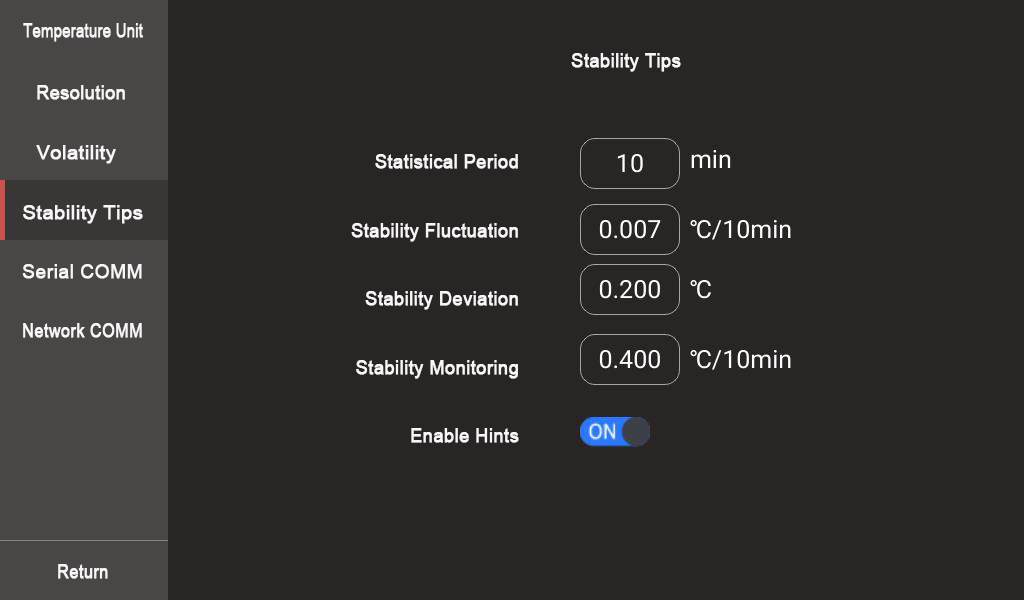
Stability prompt: Stability prompt configuration is used to determine the statistical parameters of temperature stability and whether the temperature stability is displayed on the main interface.
Statistical period: After modifying the statistical period, the system calculates the temperature fluctuation for statistics according to the new statistical period. The statistical period for temperature stability may be different from the statistical period for volatility.
Stable fluctuation, stable deviation: When the calculated stable statistical fluctuation is less than the set stable fluctuation and the calculated temperature deviation is less than the stable deviation, the system enters a stable state and begins to count the stable time.
Stability monitoring: After the system enters a stable state, it will always remain in a stable state until the calculated fluctuation of the stable statistics is greater than the set stability monitoring, precision calibration bath system exits the stable state, the stabilization time is reset, and the stable statistics need to be restarted.
Enable prompt: When enabled, the real-time temperature stabilization time will be automatically displayed on the main interface after the system determines that it has entered a stable state. When closed, the main interface no longer displays the temperature stabilization time.
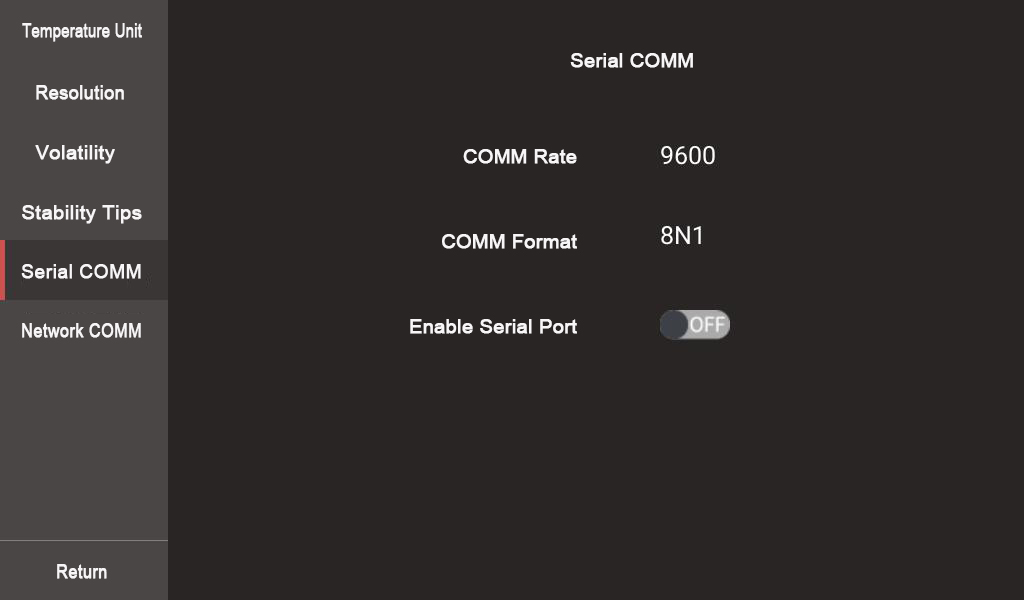
Serial port communication: The serial port communication configuration determines whether to open the serial port service. After opening, the client can control the temperature calibration through the serial port communication. The communication speed of the serial communication is 9600, the data bit is 8, the parity bit is N, and the stop bit is 1.
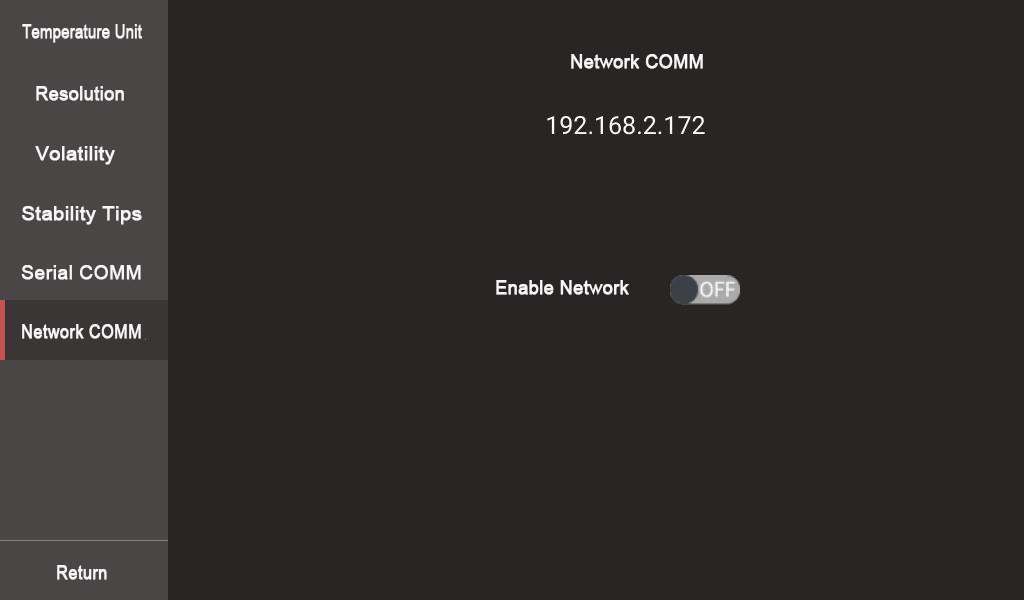
Network communication: The network communication configuration determines whether to open the network service. After opening, the client can control the oil tank through network communication, or control the oil tank through the mobile phone client.
Precision Calibration Bath Advanced configuration
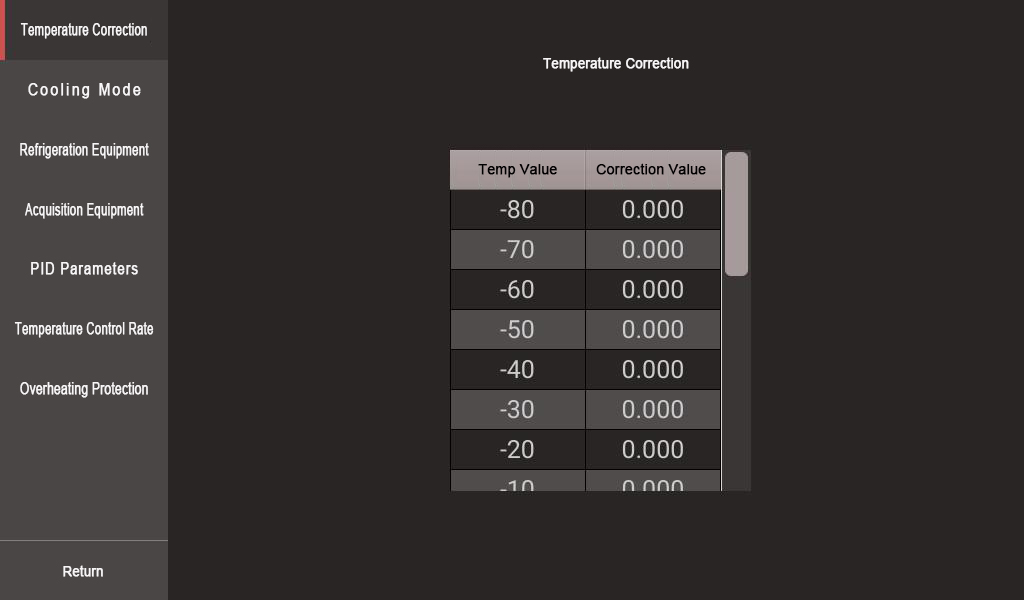
The advanced configuration provides various configuration options such as temperature correction, cooling mode, cooling setting, acquisition setting, PID parameters, temperature control rate, overheating protection, etc., and provides finer control of the cooling calibration bath, and the user does not need to make adjustments during use. If operation is required, please contact the manufacturer.
| Previous:How do you Calibrate a Bath Temperature? | next:Invitation: Join Us at World Metrology Day 2026 Conference in Singapore |
 Headquarter Address :Tai'an High-tech Development Zone, Shandong Province
Telephon :+86 0538-5089056 +86 13953856217
Fax : +86 0538-5059718
After sale:+86 0538-5050959
Website : www.tadt.com.cn
E-mail : tadtzdh@dearto.cn
Copyright? Tai'an Detu Automation Instrument Co., Ltd. Lu ICP 14024757-1